

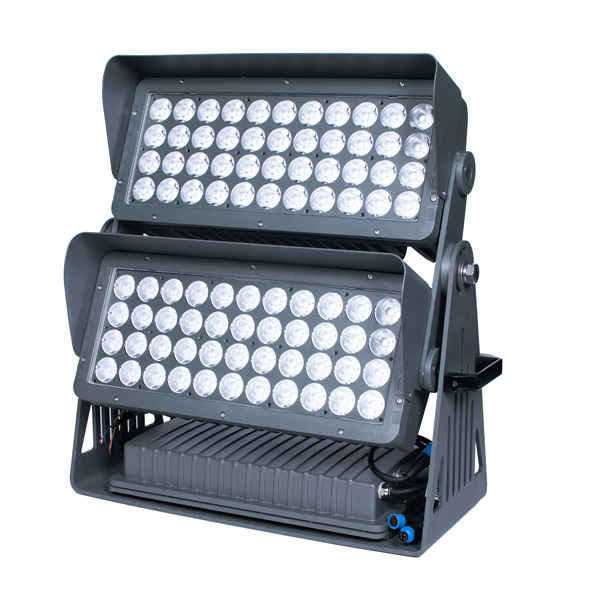
Outdoor lighting procurement continuity means choosing products, accessories, configuration records, and project files in a way that remains clear after the first project phase. For importers, lighting brands, contractors, and project buyers, the practical goal is not a promise about future availability. The goal is a cleaner decision trail: what was selected, why it was selected, which alternatives were reviewed, and which files support the selected configuration.
This guide is written as a pre-quotation and project-handoff checklist. It does not promise fixed timing, universal documents, or automatic repeat availability. It helps buyers reduce confusion before quotation, specification review, sample comparison, and later phase planning.
Related planning pages: Review the R Series compact flood-light range, landscape spotlight selection range, pole-mounted spotlight selection range, pole and tree mounting bracket accessories, and catalogue and selection documents.
Procurement Continuity Starts Before Quotation
A stable outdoor lighting purchase is not only about choosing one fixture. Buyers should confirm how the selected model relates to nearby products, how accessories are named, which mounting formats are needed, what visual language should stay consistent, and what project files must be reviewed for the selected configuration.
For example, a facade or landscape program may combine compact flood lights, pole-mounted spotlights, mounting brackets, in-ground accents, and project file requests. If each item is chosen without a shared record, the project team may spend more time reconciling appearance, cable routes, beam choices, and file requests in a later phase.
Continuity Planning Table
| Planning area | What to confirm | Why it matters |
|---|---|---|
| Product family | Related wattage classes, mounting types, body styles, and matching appearance language. | Helps buyers keep a consistent catalogue and project presentation. |
| Mounting logic | Ground, spike, base, pole, bracket, and accessory relationships. | Reduces confusion when installers compare fixture positions and fixing methods. |
| Optical selection | Beam angle, target distance, glare direction, and surface size. | Prevents wattage-only decisions that do not match the real site. |
| Project files | Drawings, photometric files, datasheets, and destination-market file needs for the selected configuration. | Keeps the buyer from assuming one file applies to every version. |
| Later phase planning | Which models may be needed again and which alternatives should be documented. | Improves repeat-order continuity without treating future availability as automatic. |
Procurement Continuity Evidence Map
| Evidence area | Useful record | Question it answers |
|---|---|---|
| Configuration trail | Selected model, wattage class, body style, beam preference, and accessory path. | Can the same project logic be reviewed again without relying on memory? |
| Visual consistency | Reference photos, finish preference, fixture family, and visible-body notes. | Will later project phases follow the same appearance direction? |
| Installation context | Mounting position, target surface, cable route, drainage condition, and service access notes. | Does the selected fixture path match the real site condition? |
| File set | Datasheet, drawing, photometric data, and other available project files for the selected version. | Which files support the selected configuration? |
| Alternative path | Acceptable nearby product family, accessory, or output-class options. | What can be reviewed if the project scope changes? |
Buyer Checklist For Stable Project Selection
- List the application zones before choosing fixture families.
- Confirm whether the project needs in-ground, spike, compact flood, high-output, pole-mounted, or accessory-supported formats.
- Keep a clear record of selected wattage classes, beam angles, finish preferences, and mounting accessories.
- Ask which drawings, photometric files, datasheets, and other project files are available for each confirmed configuration.
- Confirm destination-market file needs during quotation rather than assuming every file applies to every model.
- Record acceptable alternatives if the project may add later phases.
Risk-To-Record Table
| Procurement risk | Record that reduces confusion | Safer buyer action |
|---|---|---|
| Different project teams describe the same fixture in different ways. | One shared model name, product family, body style, and selected configuration note. | Keep the decision trail attached to the quotation request and project file list. |
| Accessory needs are reviewed after fixture choice. | Mounting accessory, cable route, fixing surface, and aiming notes. | Review fixture and accessory path together before final selection. |
| Project files are assumed to apply across versions. | File set tied to the selected version only. | Ask for the file set again when configuration changes. |
| Later phases use a different visual logic. | Reference photos, family map, finish preference, and acceptable alternatives. | Share the visual record before adding new project zones. |
| Wattage is used as the only comparison point. | Beam, target distance, surface size, glare direction, and mounting location. | Compare lighting effect and site condition before comparing wattage classes. |
What Buyers Should Avoid
Do not choose a fixture from photos alone. Product photos do not confirm beam angle, mounting stability, cable route, or outdoor installation conditions.
Do not assume related models share the same files. A file available for one configuration should be checked again for the selected version.
Do not separate accessories from fixture planning. Brackets, bases, clamps, and cable routes can change the real installation workflow, so they should be reviewed before final selection.
Do not keep project notes only in message history. Save selected configuration, file requests, and acceptable alternatives in a project record that the buying team can review later.
How To Use This Page
Use this guide as a pre-quotation checklist. Share project photos, target zones, mounting positions, approximate distances, beam preferences, fixture-family expectations, and file requirements. The supplier can then confirm which product family and accessory path fits the selected configuration.
The goal is not to make unsupported promises. The goal is to make the decision process easier to verify, easier to repeat, and easier for project teams to understand.
FAQ
Does procurement continuity mean every future order is automatic?
No. It means buyers keep clearer records and choose product families with repeat-order planning in mind. Future availability and files should still be confirmed for the selected configuration.
Which information should a buyer prepare first?
Prepare project photos, target distance, fixture position, desired lighting effect, mounting condition, accessory needs, and destination-market file requests.
Why does accessory planning matter?
Accessories affect aiming, fixing, cable route, and service access. They should be checked together with the fixture instead of being treated as a separate afterthought.
How should later project phases be documented?
Keep the selected configuration, family map, visual references, accessory path, and file set in one project record so the team can review the same logic again.
Can one file set support every configuration?
No. Buyers should connect files to the selected version and ask again when body style, wattage class, optics, or accessory path changes.
