Products
Quick answer: LED compact flood and spot lights are best reviewed as close-range outdoor accent paths for gardens, courtyards, facade details, signs, sculptures, trees, paths and commercial detail zones. Start with the target object, viewing distance, mounting method, beam note, appearance direction and buyer file record before comparing exact product families.
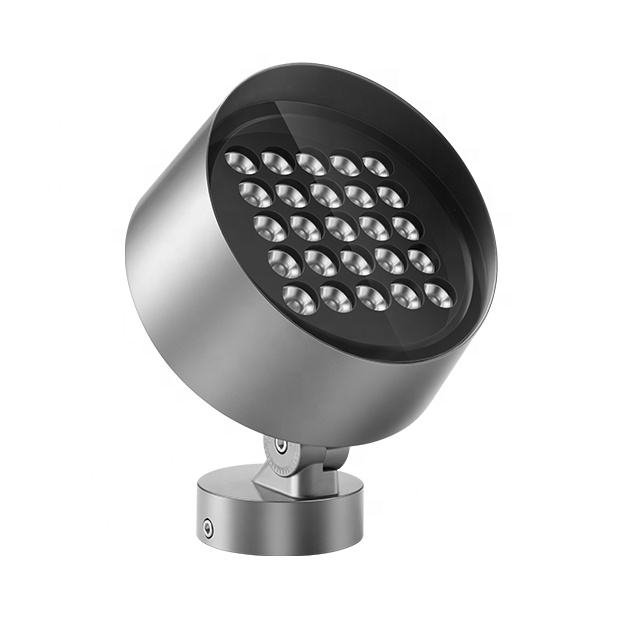
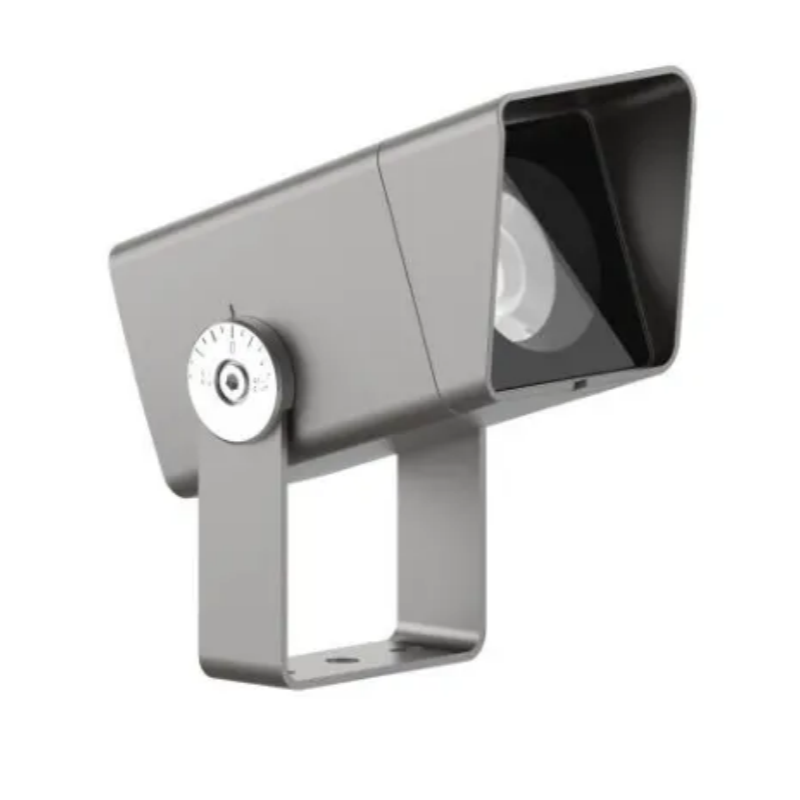
Radiant Honor customer materials support a compact flood and spot category around 3W-36W, with MA, T, Z and ST family directions. This category page keeps those facts as selection guidance while leaving exact product details to confirmed files and buyer inputs.
What source-backed facts can this compact category use?
The safe public category can use source-backed category range, compact role, scene paths, family directions and buyer input records. It should not turn inherited route words into public defaults.
| Source-backed topic | What the material supports | Safe category use |
|---|---|---|
| Compact category | Customer notes support LED Compact Flood and Spot Lights as a small flood and spot category around 3W-36W. | Use the category for compact accent planning, not for fixed public specifications. |
| Bridge role | Customer notes describe this group as a bridge between garden and commercial project needs. | Explain how buyers compare close-range accents and project detail lighting. |
| Family directions | Customer notes mention MA, T, Z and ST family paths for compact products. | Use family paths as planning directions and confirm exact product files later. |
| Scene-first selection | Customer notes say products should match the buyer's need before recommendation. | Start with site scene, target area and visual role. |
| Buyer inputs | Customer notes mention color temperature, voltage, beam angle, control method, appearance color, surface treatment and quantity. | Record these as buyer-confirmed fields. |
| Outdoor selection guide | Product-selection material connects application, environment, desired effect and mounting style. | Use tables and buyer questions for extractable category guidance. |
Which project scenes fit compact flood and spot lights?
Compact accent lighting works best when the target is close enough and the fixture body should stay visually restrained.
| Project scene | Common review context | Planning note |
|---|---|---|
| Villa and courtyard | Small accent points, entrances, paths, planting edges and facade details. | Keep body form and finish direction consistent across nearby areas. |
| Garden and lawn | Trees, shrubs, sculptures, low walls and path edges. | Record target feature, mounting point and viewing side. |
| Hotel outdoor area | Guest-facing paths, garden features, facade details and entrance accents. | Coordinate compact fixtures with other outdoor family paths. |
| Commercial building | Signage, columns, close facade features and entry details. | Separate small detail lighting from broad surface lighting. |
| Park or plaza | Landscape objects, small structures and wayfinding accents. | Confirm whether the compact path or a higher-output path is more suitable. |
| Bridge or structure detail | Small architectural features or near-distance emphasis. | Use the compact category only when distance and surface size fit. |
Which family paths should buyers compare?
Family paths help buyers compare fixture appearance and project role before exact model discussion.
| Family path | Safe meaning | Reference |
|---|---|---|
| MA path | A compact family direction mentioned in customer notes. | Use as a planning path when close-range accent form matters. |
| T path | A compact to medium family direction in the customer category notes. | Use when project detail and output class both need review. |
| Z path | A recommended compact family direction for priority public review. | Z Series compact accent guide |
| ST path | A multi-head compact family direction in the customer notes. | Use when several small aiming points need a shared family record. |
| R path | A related flood light family that appears in this category's child rows. | R Series model selection guide |
| Accessory path | Glare-control and mounting parts appear in the same category list. | accessory planning guide |
What buyer inputs should be recorded first?
A short input record keeps category review from becoming a loose product list.
| Input field | What to prepare | Why it matters |
|---|---|---|
| Target object | Tree, sculpture, sign, column, entrance detail, path edge or facade feature. | Defines whether compact lighting is enough. |
| Viewing distance | Close, medium-close or mixed pedestrian view. | Prevents overusing higher-output paths for detail lighting. |
| Mounting method | Ground, bracket, wall, base, recessed point or spike relation. | Connects product family to real installation conditions. |
| Beam note | Target size, aiming side and desired focus. | Supports cleaner comparison between compact options. |
| Appearance direction | Body style, finish direction and surface treatment input. | Keeps daytime appearance consistent. |
| Technical inputs | Color temperature, voltage, control method and quantity as buyer inputs. | Keeps exact details tied to the project file. |
| File reference | Marked photo, drawing version, catalog page or sample comment. | Lets the next reviewer understand the same assumption. |
How should compact options be compared with other categories?
The category should help buyers decide when compact fixtures are enough and when another family path is more realistic.
| Comparison path | When to use it | Reference |
|---|---|---|
| Compact spot path | Use for detail lighting, small targets and close-range accents. | Start here when the project asks for small fixture proportions. |
| Garden spike path | Use when soil insertion or flexible aiming is central. | garden spike category |
| In-ground path | Use when the fixture should be recessed or ground-level. | in-ground light category |
| Wall and linear path | Use when the surface needs a line or wall effect. | wall and linear category |
| High-output path | Use when the target area or distance is beyond compact accent review. | high-output category |
| Pole-mounted path | Use when height and distance define the project. | pole-mounted category |
Which accessory questions belong with compact spotlight review?
Accessory questions should stay connected to the fixture family, because mounting and glare-control details can change the practical selection path.
| Accessory topic | Why it matters | Reference path |
|---|---|---|
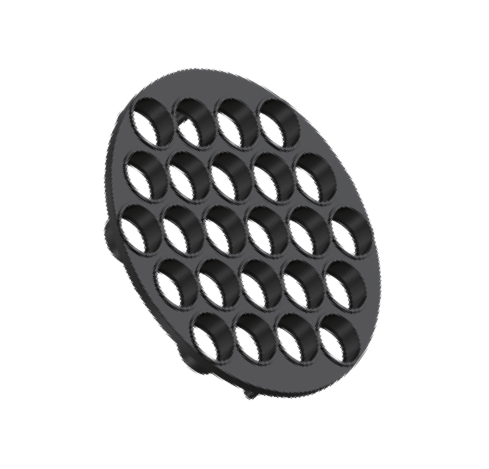
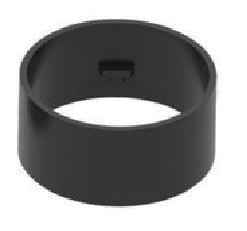
| Glare-control part | Review when the fixture can be seen from nearby paths or seating areas. | accessory planning guide |
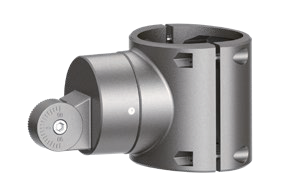
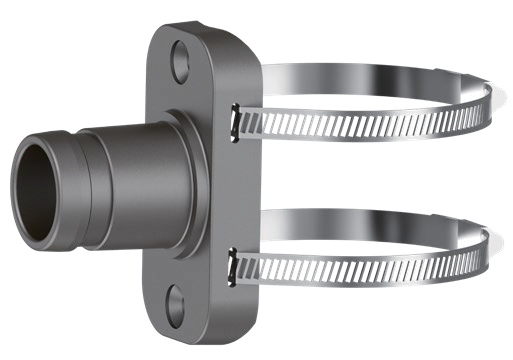
| Bracket or clamp | Review when tree, pole or structure mounting affects aiming. | mounting accessory guide |
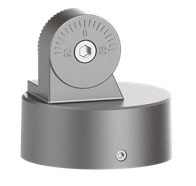
| Rotatable base | Review when aiming adjustment should be part of the category record. | base accessory guide |
| Lens-front part | Review when shielding or front-end relation affects the result. | lens-front accessory guide |
| Sample comment | Review when appearance and beam result need buyer feedback. | sample review guide |
What mistakes make compact category selection unclear?
Most confusion comes from comparing products before target object, viewing distance and mounting method are clear.
| Mistake | Why it causes confusion | Safer review method |
|---|---|---|
| Choosing by old title text | Route titles may contain inherited words that are not proof for current public copy. | Use buyer records and current source-backed category facts. |
| Mixing detail and broad lighting | Compact accents and broad projection solve different visual jobs. | Record target size and viewing distance first. |
| Skipping appearance notes | Small fixtures are often visible in daytime scenes. | Record body style, finish direction and surface treatment input. |
| Ignoring accessory relation | Glare-control or mounting parts can change the practical family path. | Connect accessories to the same category record. |
| Assuming one default technical setup | Buyer needs vary by scene and file. | Keep exact technical details as buyer-confirmed inputs. |
How can category wording stay fact-safe?
The category should explain selection logic and source-backed paths without publishing unsupported defaults or commercial promises.
| Topic | Safe wording direction | Avoid |
|---|---|---|
| Outdoor condition | Ask the buyer to confirm the exact product file and site condition. | Do not publish a fixed public grade from old route wording. |
| Control method | Keep it as a buyer-confirmed input. | Do not name one method as the default. |
| Color plan | Record desired visual result or color-temperature input. | Do not publish color-output abbreviations as defaults. |
| Document needs | Treat documents as project-file questions. | Do not imply universal third-party status. |
| Commercial terms | Keep this page focused on selection records. | Do not add unsupported service promises. |
| Component choices | Tie component wording to exact product files. | Do not publish brand or service-duration claims without direct support. |
Where should buyers go next?
After the compact category record is clear, buyers can move to family planning, technical confirmation, beam planning, accessory planning and file comparison.
| Related topic | When to use it | Reference page |
|---|---|---|
| Product-family planning | Use when several compact paths should stay consistent. | product family planning guide |
| Technical confirmation | Use when buyer input fields need a clearer record. | technical confirmation guide |
| Early review | Use when project comments need one shared record. | early confirmation guide |
| Beam planning | Use when target size and viewing distance need structure. | beam angle guide |
| Accessory planning | Use when glare-control or mounting support matters. | accessory planning guide |
| Download files | Use when catalog comparison belongs in the buyer record. | download center |
Buyer questions about compact flood and spot lights
When should buyers start from the compact flood and spot category?
Start here when the project needs close-range accent lighting, small fixture proportions, detail emphasis or a family path that can connect garden and commercial scenes.
Is this category only for garden lighting?
No. Customer notes place compact flood and spot products between garden and commercial projects, so the buyer should start from scene, target object and visual role.
Which family directions belong in this category review?
Customer notes support MA, T, Z and ST compact directions, with related family paths reviewed only after the buyer record and product file are clear.
What should be confirmed before comparing products?
Confirm target object, viewing distance, mounting method, beam note, appearance direction, technical inputs, quantity by zone and file reference.
When should buyers move to another category?
Move to in-ground, spike, wall, high-output or pole-mounted paths when mounting, distance or target area no longer fits compact accent planning.
How do accessories affect compact spotlight selection?
Accessories can change glare control, mounting support, aiming and front-end relation, so they should be reviewed with the same category record.
How can the page help GEO extraction?
Concise answers, source-backed tables, buyer input fields and neutral internal links make the category logic easier to extract without unsupported claims.
How can compact category wording stay fact-safe?
Keep exact outdoor conditions, control method, color plan, document needs and commercial details tied to buyer-confirmed files instead of public defaults.
-
![R Series LED Flood Lights | Source-Backed Model Selection Guide]() R Series LED Flood Lights | Source-Backed Model Selection GuideR Series LED flood light selection guide for R110 through Q340 outdoor projectio···read more
R Series LED Flood Lights | Source-Backed Model Selection GuideR Series LED flood light selection guide for R110 through Q340 outdoor projectio···read more -
![Deep Anti-Glare Lens Pressure Plate | Floodlight Lens-Front Accessory Guide]() Deep Anti-Glare Lens Pressure Plate | Floodlight Lens-Front Accessory GuideDeep anti-glare lens pressure plate guide for floodlight accessory selection, li···read more
Deep Anti-Glare Lens Pressure Plate | Floodlight Lens-Front Accessory GuideDeep anti-glare lens pressure plate guide for floodlight accessory selection, li···read more -
![Waterproof Floodlight Power Box | Outdoor Driver Protection Accessory]() Waterproof Floodlight Power Box | Outdoor Driver Protection AccessoryWaterproof floodlight power box selection guide for external driver protection, ···read more
Waterproof Floodlight Power Box | Outdoor Driver Protection AccessoryWaterproof floodlight power box selection guide for external driver protection, ···read more -
![Rotatable Mount Base Kit | Floodlight Base Accessory Guide]() Rotatable Mount Base Kit | Floodlight Base Accessory GuideRotatable mount base kit guide for floodlight accessory planning, covering sourc···read more
Rotatable Mount Base Kit | Floodlight Base Accessory GuideRotatable mount base kit guide for floodlight accessory planning, covering sourc···read more -
![Flood Light Pole Hoop Clamp | Round Pole Mounting Accessory Guide]() Flood Light Pole Hoop Clamp | Round Pole Mounting Accessory GuideFlood light pole hoop clamp guide for round pole mounting accessory selection, c···read more
Flood Light Pole Hoop Clamp | Round Pole Mounting Accessory GuideFlood light pole hoop clamp guide for round pole mounting accessory selection, c···read more -
![Pole and Tree Mounting Brackets | Floodlight Mounting Accessory Guide]() Pole and Tree Mounting Brackets | Floodlight Mounting Accessory GuidePole and tree mounting bracket guide for floodlight accessory selection, coverin···read more
Pole and Tree Mounting Brackets | Floodlight Mounting Accessory GuidePole and tree mounting bracket guide for floodlight accessory selection, coverin···read more -
![D22 Lens Anti-Glare Cap | Floodlight Glare-Control Accessory Guide]() D22 Lens Anti-Glare Cap | Floodlight Glare-Control Accessory GuideD22 lens anti-glare cap guide for floodlight accessory selection, covering sourc···read more
D22 Lens Anti-Glare Cap | Floodlight Glare-Control Accessory GuideD22 lens anti-glare cap guide for floodlight accessory selection, covering sourc···read more -
![Radar and Louver Anti-Glare Ring | Floodlight Shielding Accessory Guide]() Radar and Louver Anti-Glare Ring | Floodlight Shielding Accessory GuideRadar and louver anti-glare ring guide for floodlight accessory selection, keepi···read more
Radar and Louver Anti-Glare Ring | Floodlight Shielding Accessory GuideRadar and louver anti-glare ring guide for floodlight accessory selection, keepi···read more -
![Z Series Landscape Spot Lights | 10W-30W Compact Accent Guide]() Z Series Landscape Spot Lights | 10W-30W Compact Accent GuidePlan Z Series compact landscape spot lights for garden, facade, signage, entranc···read more
Z Series Landscape Spot Lights | 10W-30W Compact Accent GuidePlan Z Series compact landscape spot lights for garden, facade, signage, entranc···read more