

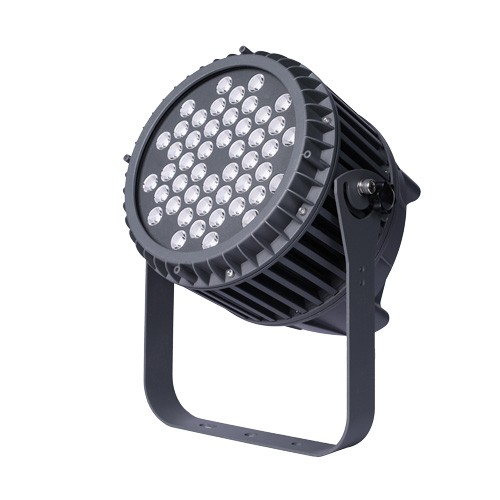
Quick answer: Faster outdoor lighting quotations usually start with better technical confirmation, not with a rushed price. Buyers can shorten revision loops by preparing the project scene, fixture family, mounting method, target size, beam note, accessory path, finish direction, quantity by zone and file reference before asking the supplier to compare options.
Radiant Honor customer materials support a scene-first and parameter-based quotation workflow. The safe public approach is to explain what information should be prepared, while exact product details stay tied to confirmed project files and buyer inputs.
What source-backed facts can this quotation guide use?
The page is built around verified planning topics from customer materials: matching products to needs, using technical parameters for OEM quotation discussion, separating project scenes and keeping product-family choices clear.
| Source-backed topic | What the material supports | How this guide uses it |
|---|---|---|
| Customer need first | Customer notes say the product should be matched to what the buyer actually needs. | Begin the inquiry with scene, product family and intended effect. |
| Technical-parameter quotation | Customer notes connect OEM quotation work with technical parameters. | Use the page as a checklist for preparing technical inputs. |
| Scene matching | Customer notes separate villas, plazas, parks, hotels, commercial buildings and bridges. | Do not treat every project as the same model request. |
| Parameter inputs | Customer notes mention color temperature, voltage, beam angle, control method, appearance color, surface treatment and quantity. | Keep these as buyer-confirmed inputs before final comparison. |
| Family and accessory review | Product and accessory materials show that fixture and mounting paths affect project review. | Review fixture family and accessory path together. |
Why do outdoor lighting quotes become slow?
The first quote becomes less useful when the request does not explain the project condition. A supplier may answer quickly, but the buyer still has to reopen the discussion when missing details become visible.
| Slowdown reason | What it means | Better first input |
|---|---|---|
| Scene is unclear | The supplier sees a product name but not the project zone or target effect. | Name the zone, surface, viewing point and lighting role. |
| Family path is unclear | The request mixes fixture types without saying which family should lead. | State whether the review starts from in-ground, spike, wall, compact spot, flood, bollard or pole-mounted paths. |
| Mounting is unclear | The fixture may be suitable, but placement and aiming are still unknown. | Record ground, spike, wall, bracket, pole, base or recessed position. |
| Beam note is unclear | The same output can look different when the spread and distance change. | Record target distance, surface size and intended visual result. |
| Accessory path is unclear | Mounting and glare-control parts may change the practical solution. | Keep accessories tied to the fixture family and zone. |
| File record is unclear | A quote can be fast but hard to review if photos, drawings and sample comments are scattered. | Keep file version and buyer comments in one record. |
What should be confirmed before price comparison?
A useful technical confirmation record is not long, but it should be specific. It turns a vague product request into a project-zone record that different reviewers can understand.
| Input field | What to prepare | Review question |
|---|---|---|
| Project scene | Villa, hotel, park, plaza, facade, bridge, path, garden, signage or public area. | What is the lighting role in this zone? |
| Fixture family | In-ground, spike, wall, compact spot, flood, bollard or pole-mounted path. | Which product family should be compared first? |
| Mounting method | Ground, spike, wall, bracket, pole, base, recessed or accessory-linked position. | Can the fixture be aimed and adjusted as needed? |
| Target size | Wall width, tree height, path width, sign size, facade layer or landscape area. | Does the selected beam and fixture family fit the target? |
| Visual preference | Warmth, surface brightness, contrast, glare concern, finish direction and daytime appearance. | What should the project look like from the main viewing point? |
| Quantity by zone | A separate count or planning quantity for each project zone. | Does the quote compare like with like? |
| File reference | Photo, marked drawing, catalog page, sample comment or previous project note. | Can another reviewer understand the same assumption? |
Who uses the technical confirmation record?
Outdoor lighting quotes often pass through several reviewers. A shared record lets each reviewer look at the same assumptions from a different angle.
| Reviewer | What they need | Useful record |
|---|---|---|
| Buyer or importer | Needs a clear comparison basis before asking for price options. | Scene, family path, quantity by zone and file note. |
| Designer or architect | Needs the visual role, viewing angle and finish direction to stay clear. | Target effect, beam note, appearance note and sample comment. |
| Contractor | Needs the mounting and accessory logic to be practical. | Mounting position, accessory path and drawing reference. |
| Factory technical team | Needs enough inputs to avoid guessing between similar families. | Scene, parameter inputs, target surface and file record. |
| Purchasing team | Needs comparable records across models and zones. | One row per zone with the same fields. |
Which fixture families should be connected to the quote?
Customer materials support product-family comparison rather than one loose model list. The quote should show which family path is being reviewed for each zone.
| Fixture family path | Common quote context | Neutral reference |
|---|---|---|
| In-ground path | Entry areas, facade bases, tree pits and ground-level accents. | in-ground light category |
| Garden spike path | Planting areas, lawn edges, trees and flexible aiming points. | garden spike light category |
| Wall and linear path | Wall surfaces, facade lines, corridors and architectural edges. | wall and linear light category |
| Compact spot path | Small outdoor accents and close-distance feature lighting. | compact spot category |
| High-output flood path | Large surfaces, public spaces and longer viewing areas. | high-power flood category |
| Bollard or pole path | Path rhythm, landscape orientation and mounting-height review. | bollard category / pole-mounted category |
Why should accessories be reviewed with the fixture?
Accessory questions can change practical comparison. The buyer does not need to finalize every support part at the start, but the likely accessory path should be visible early.
| Accessory topic | Why it matters | Safe record method |
|---|---|---|
| Bracket or base | May affect aiming, mounting surface and adjustment range. | Attach the note to the related fixture family. |
| Glare-control part | May change how comfortable the fixture looks from nearby viewing points. | Record the main viewing side before comparison. |
| Connection or housing accessory | May be part of the installation conversation. | Keep it as an accessory path, not a broad public promise. |
| Sample fixture | Helps confirm appearance, proportion and effect before wider review. | Record the sample comment with the same project zone. |
| Drawing or photo | Makes the target surface, mounting position and distance easier to understand. | Use marked images when available. |
How can buyers structure a reusable quote record?
A reusable record helps the same assumptions move from inquiry to comparison, sample review and project discussion. It also reduces repeated explanation between purchasing, design and factory teams.
| Record field | What to write | Why it matters |
|---|---|---|
| Zone | Entrance facade, garden path, courtyard tree, plaza wall, bridge surface or signage. | Keeps the quote tied to a real area. |
| Role | Accent, wash, guidance, orientation, feature highlight or broad surface lighting. | Explains why the fixture family is being considered. |
| Family | Product family and category path. | Prevents unrelated model lists. |
| Parameter inputs | Color temperature, voltage, beam note, control method, finish and quantity as buyer inputs. | Keeps technical details visible without turning them into public claims. |
| Accessory note | Bracket, base, glare-control part, mount or file relation. | Prevents fixture-only comparison when support parts matter. |
| File note | Drawing version, marked photo, catalog page, sample comment or reviewer note. | Makes the quote easier to reuse internally. |
How can quotation content stay fact-safe?
The safest public page keeps technical and commercial details as buyer-confirmed inputs until the exact product file or project record supports them. That makes the guide useful without overclaiming.
| Topic | Safe wording direction | Avoid |
|---|---|---|
| Outdoor condition | Ask the buyer to describe the environment and review the exact product file. | Do not publish a fixed protection grade from a route or old title. |
| Control method | Keep it as a buyer-confirmed project input. | Do not name one protocol as the default. |
| Color plan | Record color temperature or color plan as an input. | Do not write a default color-output mode. |
| Approval documents | Keep document needs as a project-file question. | Do not imply universal third-party status. |
| Commercial terms | Keep commercial terms out of this technical checklist unless supplied for the exact project. | Do not write fulfillment or after-sales promises. |
| Component choices | Keep component choices tied to confirmed product files. | Do not publish component-brand or service-life claims without exact support. |
Where should buyers go next?
After the quote record is clear, the buyer can compare outdoor selection, sample approval, beam planning, accessory planning and product categories without relying on risky product-title claims.
| Related topic | When to use it | Reference page |
|---|---|---|
| Outdoor selection | Use before the buyer has chosen a fixture family. | outdoor lighting selection guide |
| Sample approval | Use when a sample needs clearer project notes. | sample approval guide |
| Beam planning | Use when target distance and visual spread need discussion. | beam angle guide |
| Accessory planning | Use when brackets, bases or glare-control parts affect review. | accessory planning guide |
| Product family review | Use after the inquiry record is clear enough to compare categories. | product range |
Buyer questions about faster quotation and technical confirmation
Why do outdoor lighting quotations slow down?
They often slow down because the project scene, fixture family, mounting method, target effect, accessory path or file record is unclear when the first request is sent.
What should buyers prepare before asking for a quote?
Prepare the project scene, zone name, target surface, fixture family path, mounting condition, beam note, finish direction, quantity by zone and any drawing or photo reference.
Does faster quotation mean rushing the technical review?
No. A faster useful quote usually comes from clearer information at the start, not from skipping technical confirmation.
Which details affect technical confirmation most?
Scene, mounting method, target size, beam note, color temperature, voltage, control method, finish direction, accessory path and sample comments can all affect the review.
Should accessories be discussed before pricing is finalized?
Yes. Brackets, bases, glare-control parts and other support items can affect the practical solution, so they should be connected to the fixture family early.
How should a buyer organize multiple project zones?
Use one row per zone with the same fields: scene, role, family, mounting note, parameter inputs, accessory note and file reference.
Can a quotation checklist help sample review?
Yes. When the same assumptions move from inquiry to sample review, teams spend less time rebuilding the project context.
How can quotation wording stay fact-safe?
Keep technical and commercial details as buyer-confirmed project inputs until exact product files or written project records support them.
Recommended quotation preparation path
Start with the project scene, then define the fixture family path and mounting condition. After that, record parameter inputs, accessory notes and file references before asking for a comparable quote.
| Step | Purpose | Link |
|---|---|---|
| 1 | Map the project scene and fixture family path. | outdoor lighting selection guide |
| 2 | Confirm target distance and beam planning. | beam angle guide |
| 3 | Review accessory and mounting questions. | accessory planning guide |
| 4 | Prepare sample and file records. | sample approval guide |
| 5 | Compare product categories and files. | product range / download center |
